
Guide
A free voice message translator app
What you can translate for free, what costs money, and the honest trade-offs between the free options.
The short answer
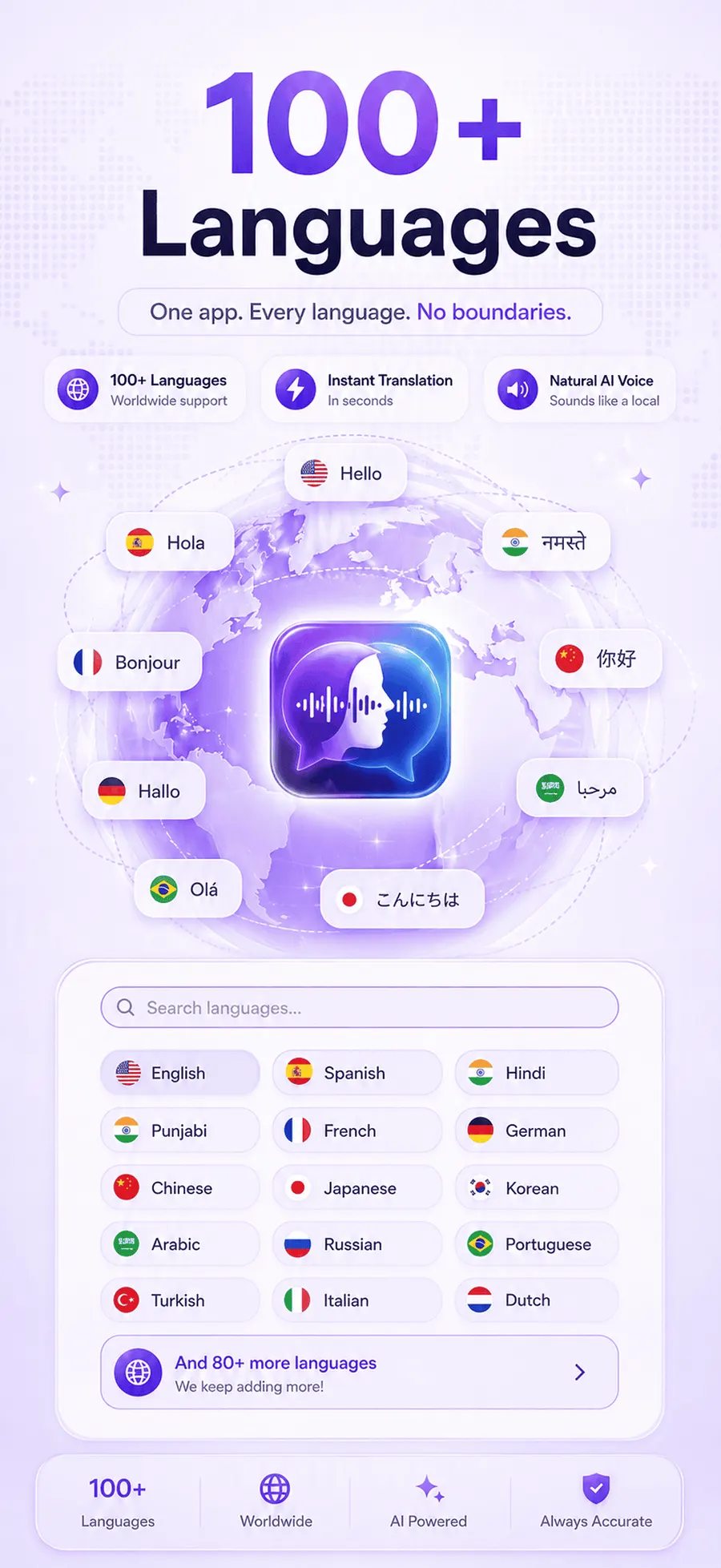
Yes, there is a free voice message translator app: ReplyLingo is free to start on iPhone and Android, with a daily allowance of translations at no cost and no payment details needed. It covers 100+ languages and gives you a transcript, a spoken translation and the ability to reply by voice. A Pro subscription removes the daily limit for people who use it every day.
Is there a free voice message translator app?
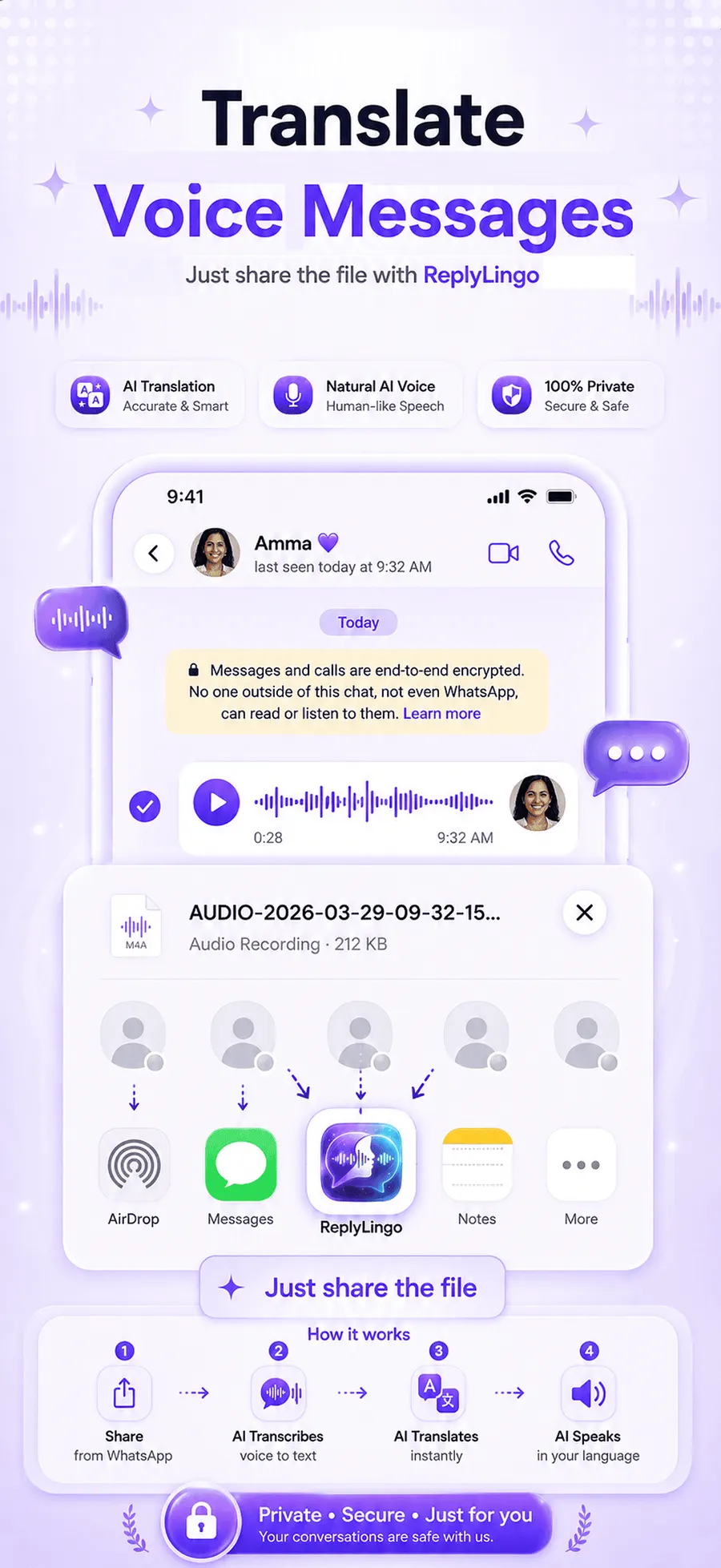
There are several ways to translate a voice message for free, but they are not equal. Some only transcribe, some only translate typed text, and some need you to do half the work by hand. A voice message translator has to do three things in a row: turn speech into text, translate that text, and give it back to you in a way you can use.
ReplyLingo does all three in one step and is free to start. It is aimed at the everyday case: a relative, friend or partner who sends voice notes in a language you don't speak, and you want to understand them and answer without typing.
What you get for free
- A daily allowance of voice message translations, with no payment details needed to start.
- Automatic detection of the spoken language, across 100+ languages.
- A written transcript plus a natural voice reading the translation aloud.
- The ability to record a reply in your own language and have it translated and spoken in theirs.
- Works with WhatsApp, Telegram, Instagram, Messenger, iMessage and any app that can share an audio file.
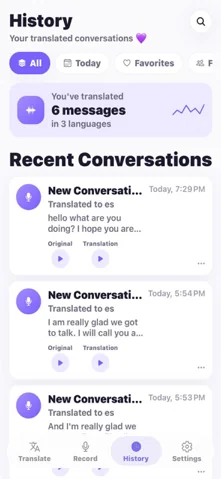
- A History screen with your past translations, which you can open offline and play back.
How to start for free, step by step
Your first translation
- 1Download ReplyLingo from the App Store or Google Play. No sign-up is needed: continue as a guest.
- 2Open a voice message in WhatsApp or any messaging app and tap Share or Forward.
- 3Choose ReplyLingo from your phone's share sheet.
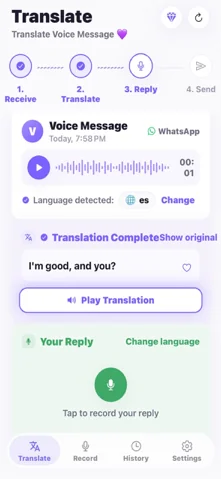
- 4Read the transcript and listen to the translation in your language.
- 5Record a reply in your own language if you want to answer back. ReplyLingo translates it and speaks it in the other person's language.
- 6Send the translated reply through the same chat from the share sheet.
When Pro makes sense
The free allowance covers occasional voice notes, such as a message from a relative now and then. If you talk to someone in another language every day, the daily limit is the thing you will hit, and Pro removes it.
You can keep using the app for free and upgrade only if you find you need to. Free with a daily limit; Pro removes the limit. See the current price in the app. Nothing is charged unless you choose to subscribe.
Other free ways to translate a voice message
There is a fully free manual method: play the voice message, type out what you hear and paste the text into a text translator. It costs nothing, but it is slow, and it only works if you can already pick out enough of the language to transcribe it.
WhatsApp's own Voice Message Transcripts feature is also free, but it converts speech to text in the same language it was spoken, so a Spanish voice note becomes Spanish text. It is transcription, not translation, and its language coverage is limited.
ReplyLingo sits between these: it automates the transcribing and translating so it takes seconds, and it is free for everyday, light use.
Is a free translator accurate and private?
ReplyLingo uses modern AI speech recognition and translation, and it handles natural conversational speech well. Heavy background noise can lower accuracy, as it does for any speech-to-text system, so for anything important it is worth double-checking key details.
On privacy, your conversation history stays on your device. ReplyLingo doesn't keep a server-side copy of your audio, transcripts or translations. Voice data is sent to OpenAI and Google Cloud only while a translation is being processed.
Free options compared
Here is how the free ways to deal with a foreign-language voice message stack up.
| Option | Cost | Translates a voice message? | Effort |
|---|---|---|---|
| ReplyLingo | Free to start, daily allowance; Pro removes the limit | Yes, 100+ languages, with spoken playback and voice replies | Share the audio, a few seconds |
| Typing it out, then a text translator | Free | Only if you can transcribe it yourself | Slow and manual |
| WhatsApp Voice Message Transcripts | Free | No, same-language text only, limited languages | Switch it on in WhatsApp |
| Google Translate | Free | Not directly, it needs a transcript first | Type or paste the text |
Related guides
Frequently Asked Questions
Try it free today
Free to start. No sign-up needed. Continue as a guest.