
Guide
Translate Telegram voice messages
Someone sent you a Telegram voice message in a language you don't speak. Here's the quickest way to understand it and answer back.
The short answer
To translate Telegram voice messages, share the voice message from Telegram into ReplyLingo, an app for iPhone and Android that is free to start. ReplyLingo transcribes the audio, translates it into your language and reads the translation aloud, usually in a few seconds. You can then record a reply in your own language and send it back, translated, through your phone's share sheet.
Why Telegram voice messages are hard to translate
Telegram can translate typed messages, but a voice message is just an audio file. There is no text to translate until the speech has been transcribed, and then the transcript still has to be translated. Done by hand, that means playing the clip, typing out what you hear and pasting it into a text translator, which only works if you can already make out most of the words.
Transcription is also not the same thing as translation. Converting speech to text in the original language still leaves you with a message you can't read. What you actually need is the speech transcribed, translated and spoken back in one step, in a language you understand.
That is the gap ReplyLingo fills. It is built around voice messages rather than typed text, so the whole path from audio to understanding happens in one place.
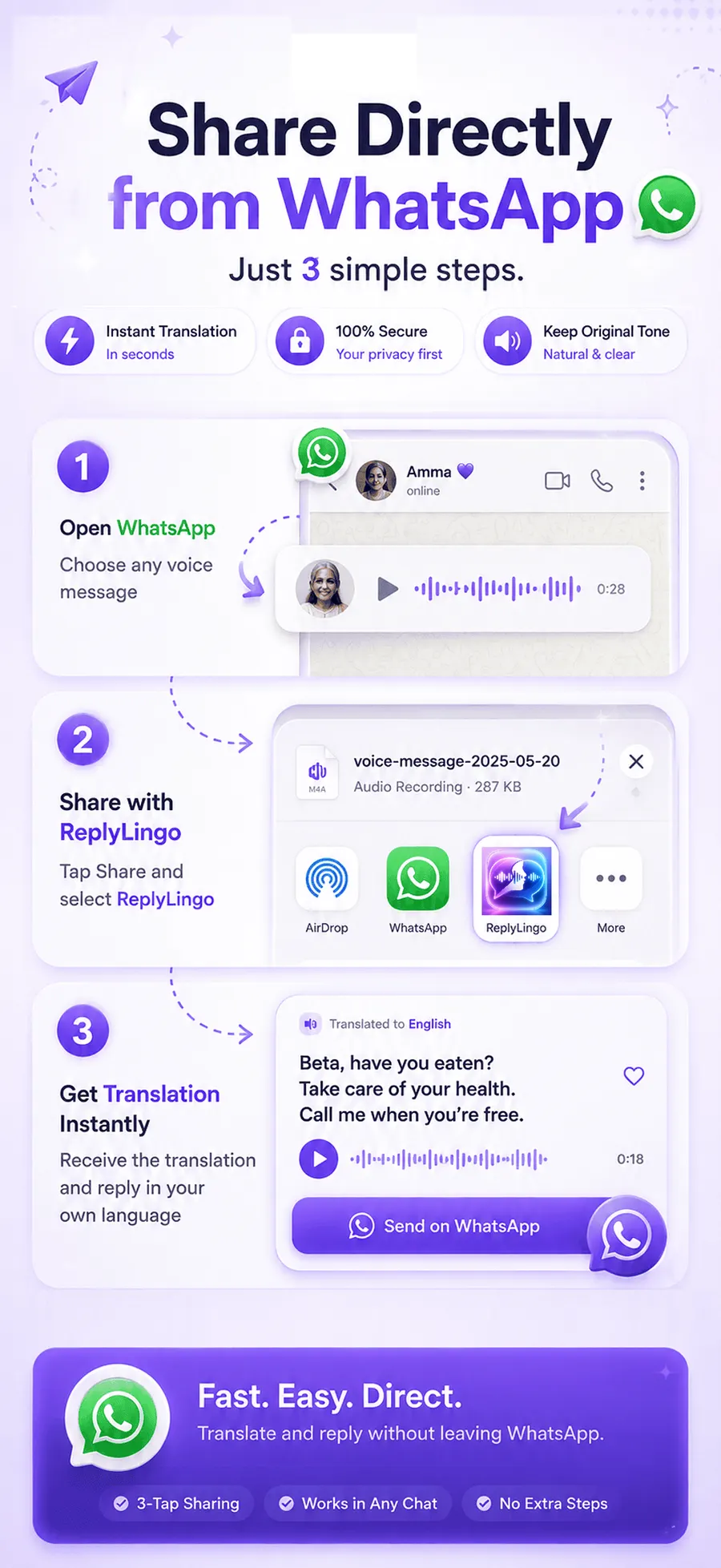
How to translate Telegram voice messages, step by step
Understand the message
- 1Install ReplyLingo from the App Store or Google Play.
- 2Open the Telegram chat that contains the voice message.
- 3Tap and hold the voice message, then choose Forward or Share.
- 4Select ReplyLingo from your phone's share sheet.
- 5ReplyLingo detects the spoken language automatically, so you don't have to know what it is.
- 6Read the transcript and listen to the translation read aloud in your language.
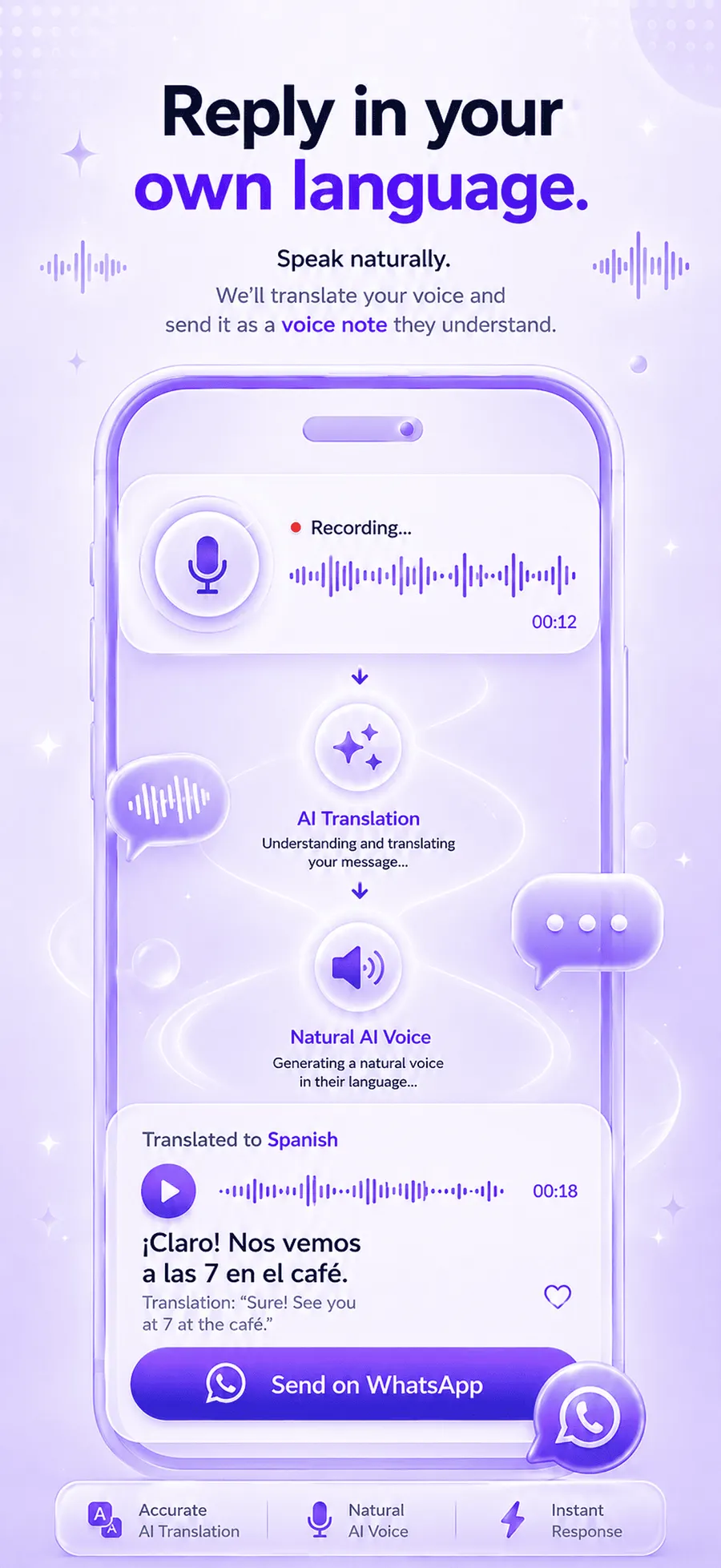
Reply in your own language
- 1Record your answer in ReplyLingo, speaking your own language naturally.
- 2ReplyLingo translates your reply and speaks it in the other person's language.
- 3Send the translated audio back through Telegram from your phone's share sheet.
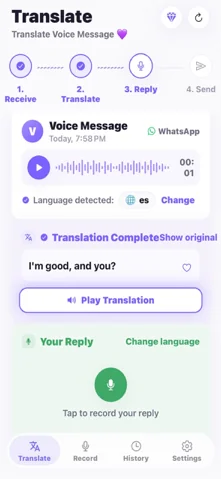
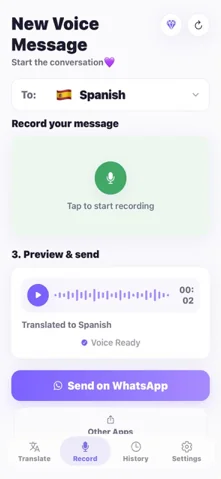
What you get after sharing
Within a few seconds you see a written transcript of what was said and hear the translation spoken in a natural voice. Having both is useful: you can listen while your hands are busy, and you can read back over a detail such as a time, a name or an address.
Your conversation history stays on your device. ReplyLingo doesn't keep a server-side copy of your audio, transcripts or translations.
Does it work for group chats and channels?
Yes. ReplyLingo only needs the audio file, so a voice message from a private chat, a group or a channel works the same way. If Telegram lets you forward or share the voice message, you can translate it.
In a busy group where several people send voice messages, translate only the ones you need. Each shared message is translated on its own, and counts toward your daily allowance on the free plan.
Tips for clearer translations
- Short, single-topic voice messages translate more cleanly than long ramblers, so ask people to split long thoughts into two clips if you can.
- Heavy background noise can reduce accuracy, as it does for any speech-to-text system. A clip recorded somewhere quiet gives better results.
- For anything important, such as money, health or legal matters, double-check the key details with the sender.
- When you record your reply, speak naturally and at a normal pace. There is no need to talk slowly or use simple words.
Is it private?
ReplyLingo doesn't keep a server-side copy of your audio, transcripts or translations. The audio goes to AI providers (OpenAI and Google Cloud) only for the moment it takes to process the translation you asked for. The full details are in the privacy policy.
ReplyLingo vs other ways to translate Telegram voice messages
Here is how the common options compare for a voice message you received on Telegram.
| Option | Works on voice messages? | Translates it? | Spoken reply? |
|---|---|---|---|
| ReplyLingo | Yes, share the audio in | Yes, 100+ languages | Yes, record and share back |
| Typing it out, then a text translator | Only by transcribing it yourself | Yes, once it is typed | No |
| Telegram's built-in text translation | No, typed text only | Text only | No |
| Google Translate | Needs a transcript first | Yes, for text | No |
Related guides
Frequently Asked Questions
Understand every Telegram voice message
Free to start. No sign-up needed. Continue as a guest.