
Guide
How to translate a WhatsApp voice message
Someone sent you a voice note in a language you don't speak. Here's exactly how to understand it — and reply back in your own language — with or without ReplyLingo.
Does WhatsApp translate voice messages?
No — not yet. WhatsApp rolled out message translation in September 2025, and as of today it only covers typed text: long-press any text message and choose "Translate," in one-to-one chats, groups and channels.
WhatsApp can also transcribe some voice messages into text, in a limited set of languages, if you turn it on under Settings → Chats → Voice Message Transcripts (see how Voice Message Transcripts works). But transcription isn't translation — it converts speech to text in the same language it was spoken in. If the voice note is in a language you don't speak, a transcript in that same language doesn't help you.
So for an actual voice note, in a language you don't understand, you need something else.
3 ways to translate a WhatsApp voice message
1. Transcribe it yourself, then translate the text (free, slow)
- Play the voice note and manually type out what you hear, as best you can.
- Paste that text into Google Translate or any text translator.
- Read the translation — or type your reply and translate it back before sending.
Works with zero extra apps, but it only works if you can already make out enough of the spoken words to transcribe them — which defeats the purpose if you don't speak the language at all.
2. WhatsApp's built-in voice transcription (free, limited)
- Enable Voice Message Transcripts in WhatsApp's chat settings.
- Set your transcription language.
- New voice notes get an automatic text transcript underneath them.
Only useful if the transcript language matches the language the voice note was recorded in — it does not translate. You'd still need to copy the transcript into a translator yourself, and only some languages are supported at all.
3. Share it into ReplyLingo (fastest, and it can reply back too)
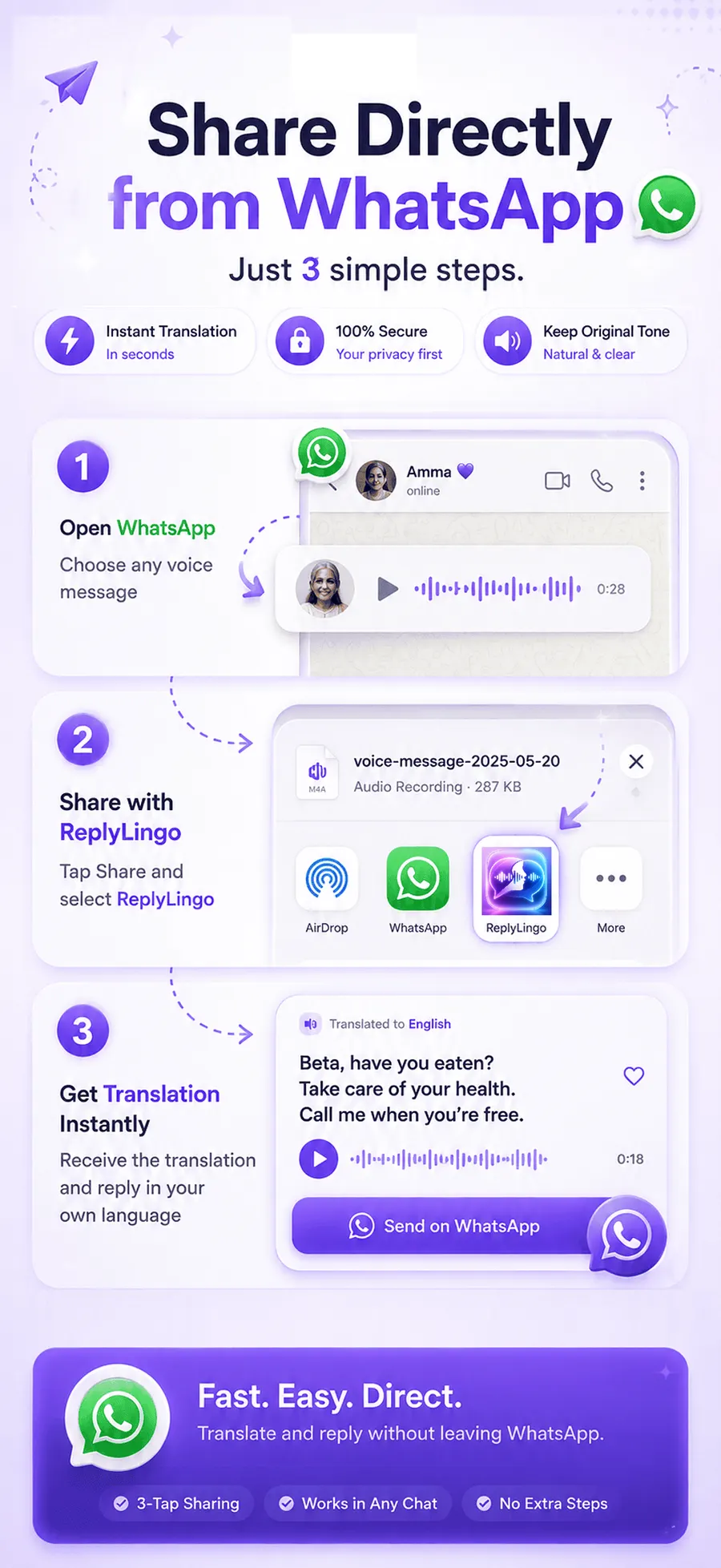
- Open the voice message in WhatsApp, tap Share, and select ReplyLingo.
- ReplyLingo transcribes it, translates it and reads the translation back to you in seconds.
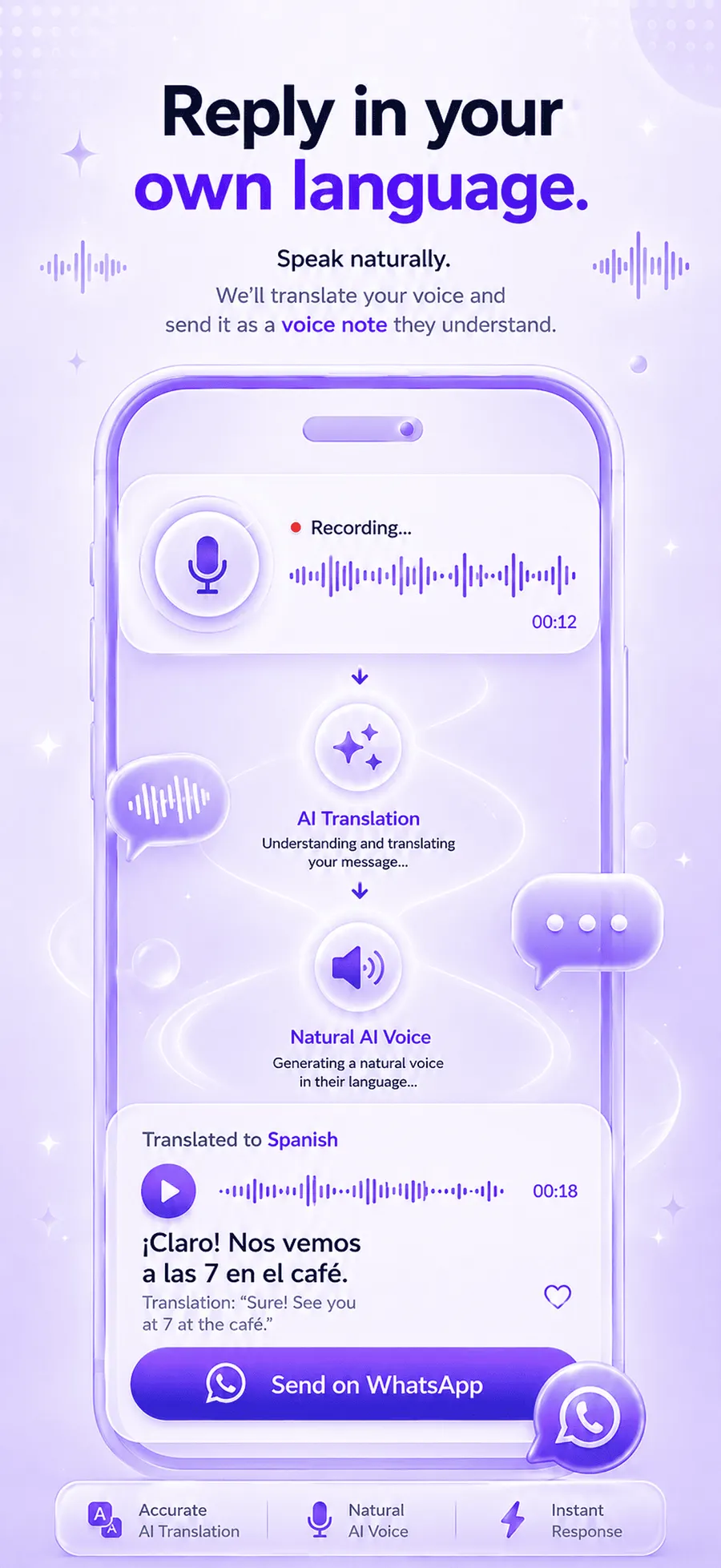
- Record your reply in your own language — ReplyLingo translates and speaks it back.
- Send the translated reply straight back through WhatsApp's share sheet.
This is the only method of the three that closes the loop both ways: understanding and replying, without typing anything or leaving the voice-note format the conversation is already happening in.
Why not just use Google Translate's app?
Google Translate is excellent for text and live conversations held around one phone, but it has no way to accept a voice note file someone already sent you — you'd still have to transcribe it manually first, which is method 1 above. ReplyLingo is built specifically for the file-sharing moment: the voice note comes in as a file, and that file is what gets translated, spoken back, and replied to.
Frequently Asked Questions
Try it on the next voice note you get
Free to start. No sign-up needed. Continue as a guest.