
Guide
Voice message translator for work and business
When clients, suppliers or teammates send voice notes in a language you don't speak, here's how to keep up without a translator.
The short answer
ReplyLingo is a voice message translator for work and business, on iPhone and Android. Share a voice note from a client, supplier or colleague on WhatsApp or another messaging app, and ReplyLingo transcribes it, translates it into your language and reads it back. You can record your reply in your own language and have it translated and spoken in theirs. It supports 100+ languages and is free to start.
Where voice notes show up at work
In a lot of the world, business runs on voice notes. A supplier confirms an order by recording a message instead of typing it, and a client explains a problem faster by talking than by writing in a second language. When you don't speak that language, a one-minute voice note can stall a whole day.
- Suppliers and manufacturers who run orders over WhatsApp voice notes.
- International clients who prefer to talk rather than type.
- Freelancers and remote teams working across countries and time zones.
- Customers messaging a small business in their own language.
- Colleagues in another office who are more comfortable speaking than writing in a second language.
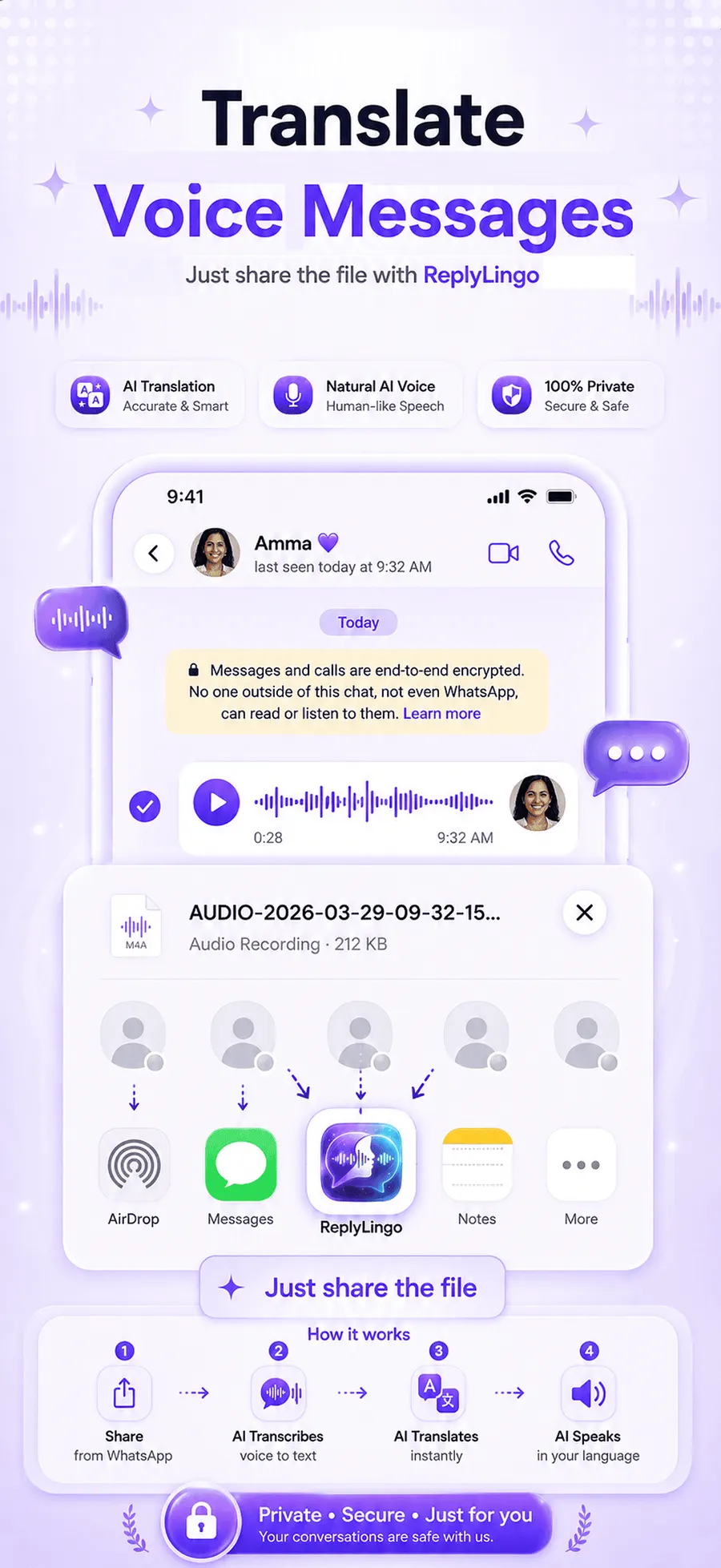
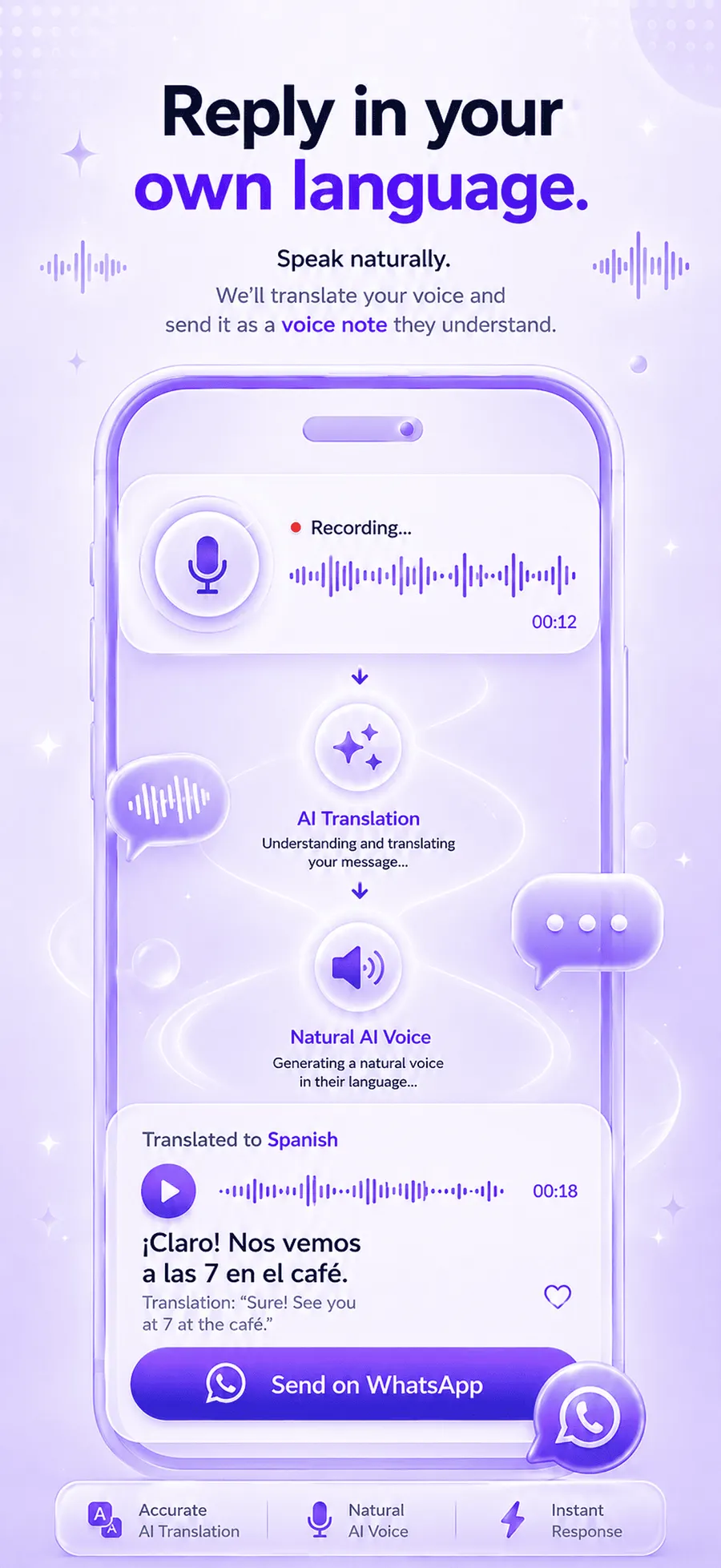
How to translate a voice note from a client or supplier
Understand it
- 1Open the voice message in WhatsApp, Telegram or any messaging app and tap Share.
- 2Choose ReplyLingo from the share sheet.
- 3ReplyLingo detects the spoken language, so you don't need to ask what language it is.
- 4Read the transcript and listen to the translation in your language.
Reply
- 1Record your answer in your own language.
- 2ReplyLingo translates it and speaks it in their language.
- 3Send it back through the same chat from your share sheet.
Keep the written record
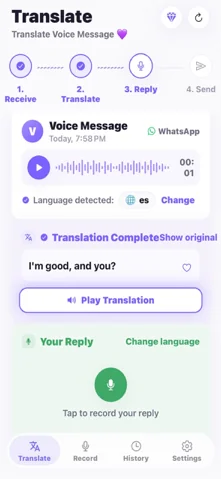
Because ReplyLingo gives you a transcript as well as audio, you can copy key details such as quantities, dates and prices into your own notes or a follow-up message. Having the words on screen also makes it easier to share a request with a colleague who wasn't in the chat.
For anything with real consequences, such as a contract term or a payment amount, confirm it in writing with the other person rather than relying on any machine translation alone.
Good habits for using voice translation at work
- Translate first, then reply. Read the transcript before you answer so you respond to what was actually said.
- Repeat numbers back. Quote the quantity, date or price in your reply so the other person can correct you if something was misheard.
- Keep replies short and single-topic. Short voice messages translate more cleanly than long ones.
- Move formal commitments to writing. Use the voice note to understand and the written follow-up to agree.
Privacy for business conversations
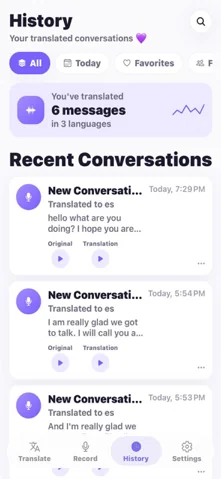
Your conversation history stays on your device. ReplyLingo doesn't keep a server-side copy of your audio, transcripts or translations. Audio is sent to AI providers (OpenAI and Google Cloud) only for the moment it takes to process the translation you asked for.
Read the privacy policy before using ReplyLingo with sensitive or confidential material, and follow your own company's rules about sharing business conversations with third-party tools.
Ways to handle foreign-language voice notes at work
Here is how common approaches compare for a voice note from a client or supplier.
| Option | Speed | Handles voice notes? | Reply in their language? |
|---|---|---|---|
| ReplyLingo | A few seconds after sharing | Yes, from WhatsApp and other apps | Yes, record in yours, it is translated and spoken in theirs |
| Asking a bilingual colleague | Depends on who is free | Yes, if they have time | Yes, if they write it for you |
| Typing it out, then a text translator | Slow | Only if you can transcribe it | Typed text only |
| WhatsApp Voice Message Transcripts | Fast | Same-language text only, limited languages | No |
Related guides
Frequently Asked Questions
Keep business moving across languages
Free to start. No sign-up needed. Continue as a guest.