
Guide
Translate Hindi and Punjabi voice messages to English
For when a relative, friend or partner sends a voice note in Hindi or Punjabi and you need to know what it says.
The short answer
To translate Hindi and Punjabi voice messages to English, share the voice note from WhatsApp or any app into ReplyLingo on iPhone or Android. ReplyLingo detects the language, gives you an English transcript and reads the translation aloud. You can then record a reply in English and have it translated and spoken back in Hindi or Punjabi. It is free to start.
Why Hindi and Punjabi voice notes are tricky
A lot of family communication in Hindi and Punjabi happens through WhatsApp voice notes, often mixing in English words or regional phrasing. If you are a second-generation speaker, a partner learning the language, or simply someone who can follow some but not all of it, a voice note can be hard to pin down.
WhatsApp's built-in Voice Message Transcripts feature doesn't solve it. It only turns speech into text in the same language, so a Hindi note becomes Hindi text, and its language coverage is limited. Even where it works, it isn't translation, and a transcript in a script you can't read doesn't help much.
What helps is going straight from the audio to English, with both a written transcript and a spoken version, so you can read it or listen to it, whichever suits the moment.
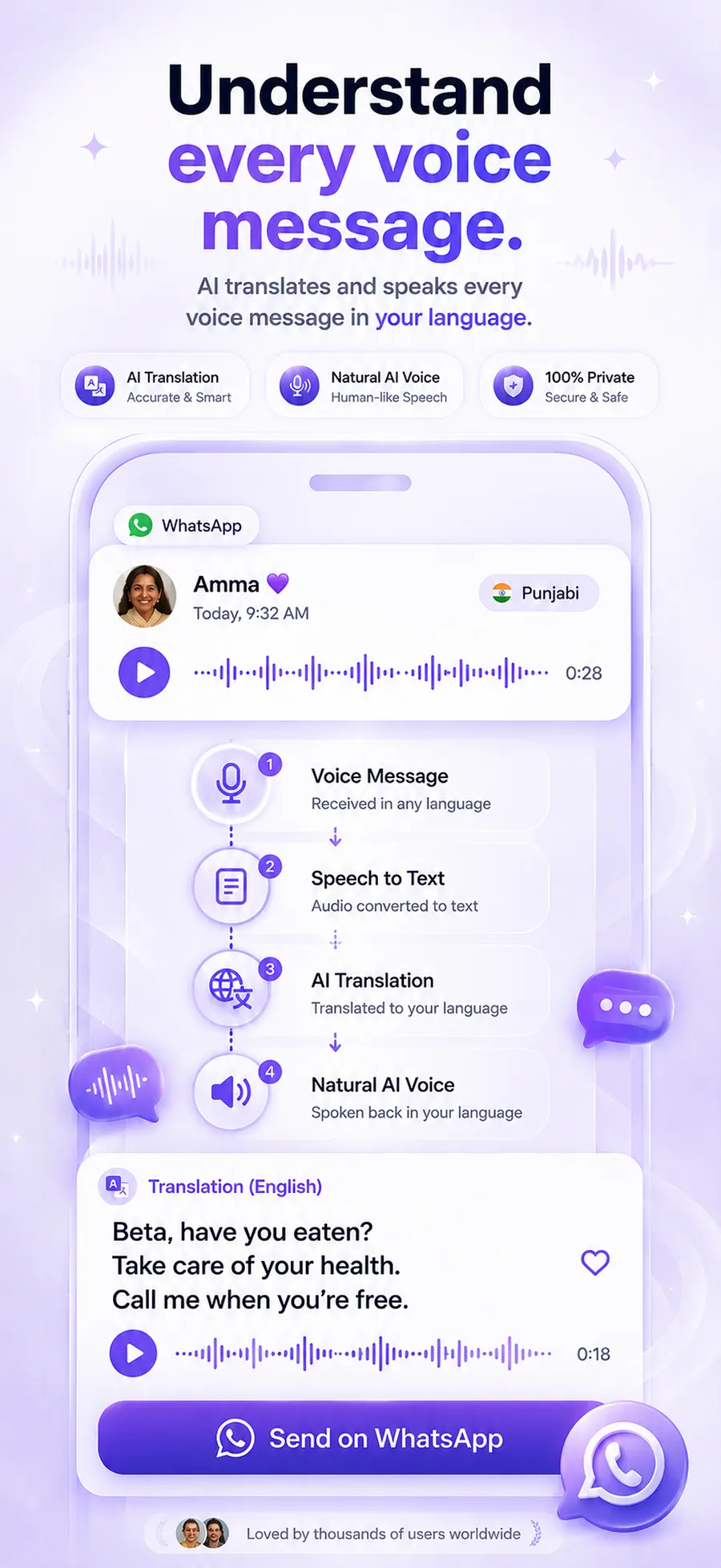
How to translate a Hindi or Punjabi voice message to English
Understand the voice note
- 1Download ReplyLingo from the App Store or Google Play.
- 2Open the voice message in WhatsApp (or any app) and tap Share, then choose ReplyLingo.
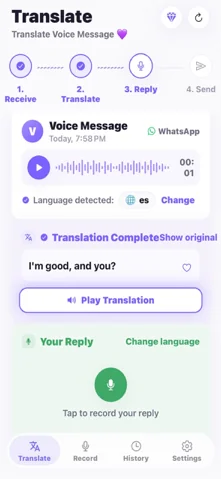
- 3ReplyLingo detects whether it is Hindi, Punjabi or another language, so you don't have to pick.
- 4Read the English transcript.
- 5Listen to the spoken English translation.
Reply back
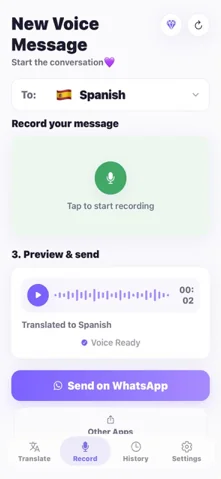
- 1Record your reply in English.
- 2ReplyLingo translates it and speaks it in Hindi or Punjabi.
- 3Send the audio back through WhatsApp from your share sheet.
What to expect from the translation
ReplyLingo is built on modern AI speech and translation models, and it handles natural conversational speech well. Everyday family chat, greetings, plans and questions are the sweet spot.
Heavy background noise, strong regional dialects and code-switching between languages can all reduce accuracy, as they do for any speech-to-text system. For anything important, such as money, health or legal matters, confirm the details with the person.
- Mixed Hindi and English (or Punjabi and English) in one sentence is common, and is something to double-check when a detail matters.
- Names of people and places can be spelled differently in the transcript than you expect.
- Shorter voice notes usually come out cleaner than very long ones.
Replying in Hindi or Punjabi when you only speak English
If you can understand a little but don't feel confident replying in Hindi or Punjabi, you don't have to. Record your answer in English and ReplyLingo speaks it in the other person's language. They hear a reply in the language they are comfortable with, and you never have to type in a script you don't know.
Other languages
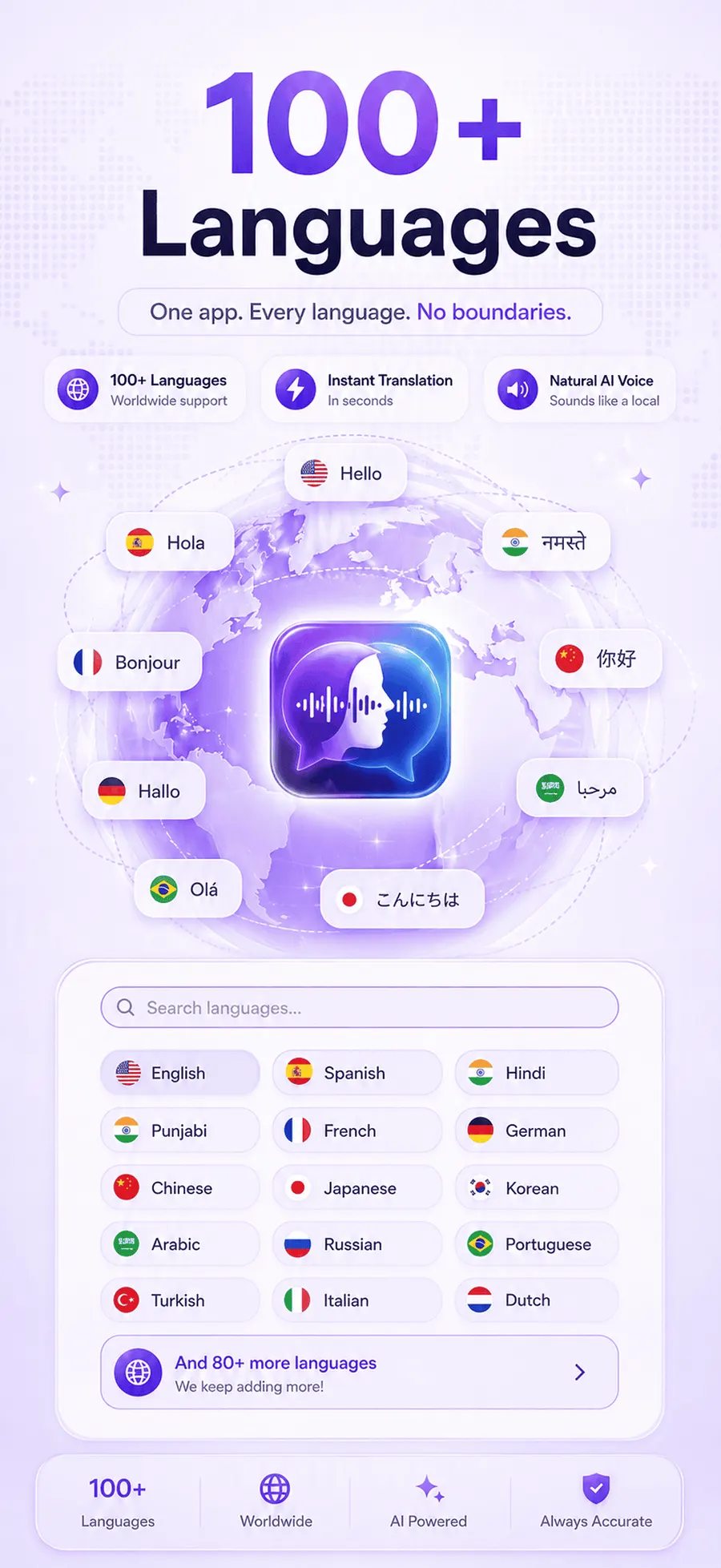
ReplyLingo supports 100+ languages and detects the spoken language automatically. The same steps work for Spanish, Arabic, French, Portuguese and many others. Your conversation history stays on your device, and voice data goes to OpenAI and Google Cloud only while a translation is being processed.
Ways to understand a Hindi or Punjabi voice message in English
Here is how the usual options compare when the voice note is in Hindi or Punjabi.
| Option | Gives you English? | Spoken version? | Reply in Hindi or Punjabi? |
|---|---|---|---|
| ReplyLingo | Yes, transcript and translation | Yes, read aloud | Yes, record in English and share it back |
| WhatsApp Voice Message Transcripts | No, same-language text only | No | No |
| Typing it out, then a text translator | Only if you can type what you hear | No | Typed text only |
| Asking a family member | Yes, if they are around | Only by calling them | If they help you |
Related guides
Frequently Asked Questions
Understand every Hindi and Punjabi voice note
Free to start. No sign-up needed. Continue as a guest.