
Guide
Voice message translator for iPhone and Android
One app, both platforms. How to translate a voice message on your phone, step by step.
The short answer
ReplyLingo is a voice message translator for iPhone and Android, available on the App Store and Google Play. It works through your phone's normal Share menu, so it handles voice notes from WhatsApp, Telegram, Instagram, Messenger and more. Share the voice message and ReplyLingo transcribes it, translates it into your language and reads it back. It is free to start and supports 100+ languages.
How to use a voice message translator on iPhone
On iPhone
- 1Download ReplyLingo from the App Store.
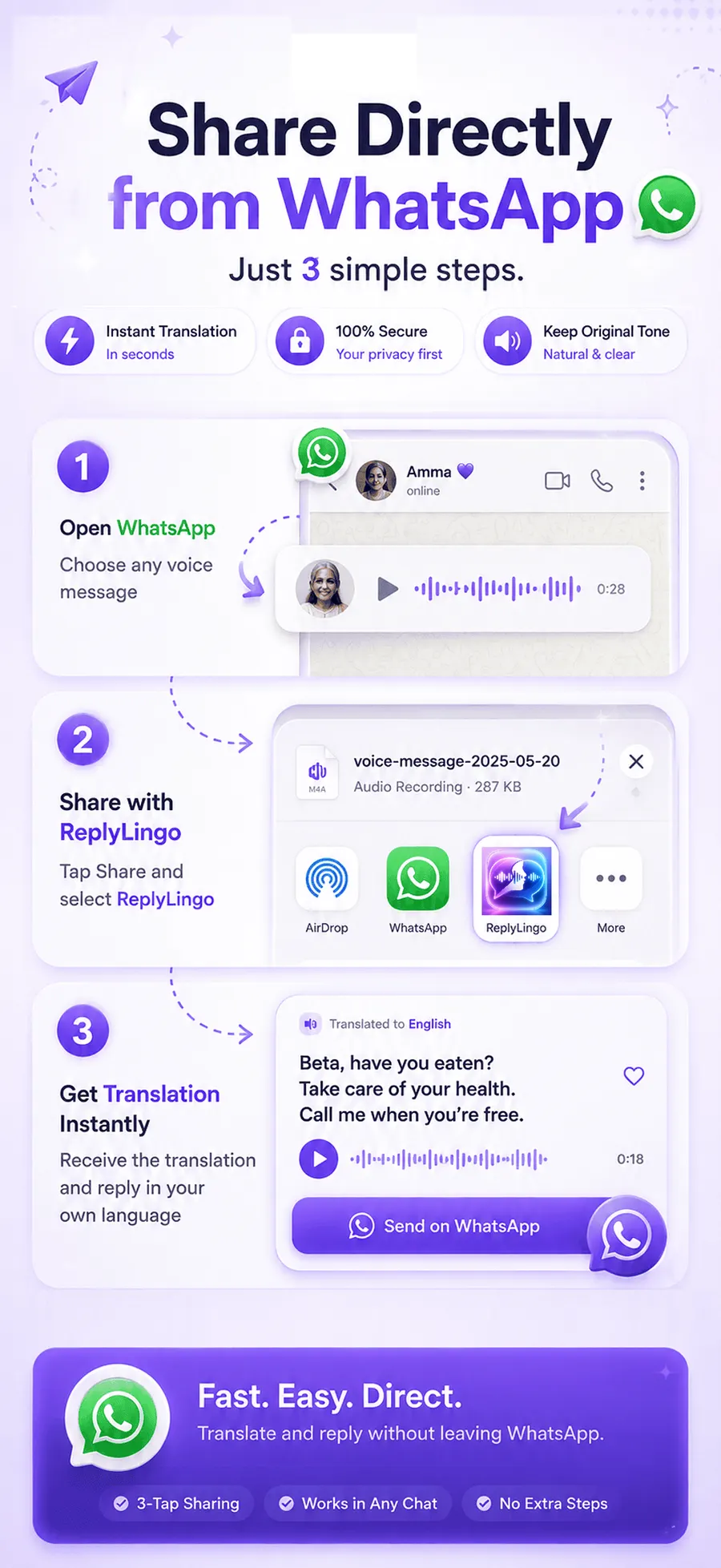
- 2Open the voice message in WhatsApp or any other messaging app and tap Share or Forward.
- 3Choose ReplyLingo from the iOS share sheet.
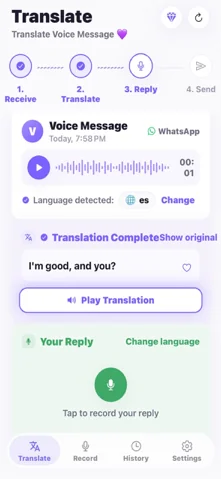
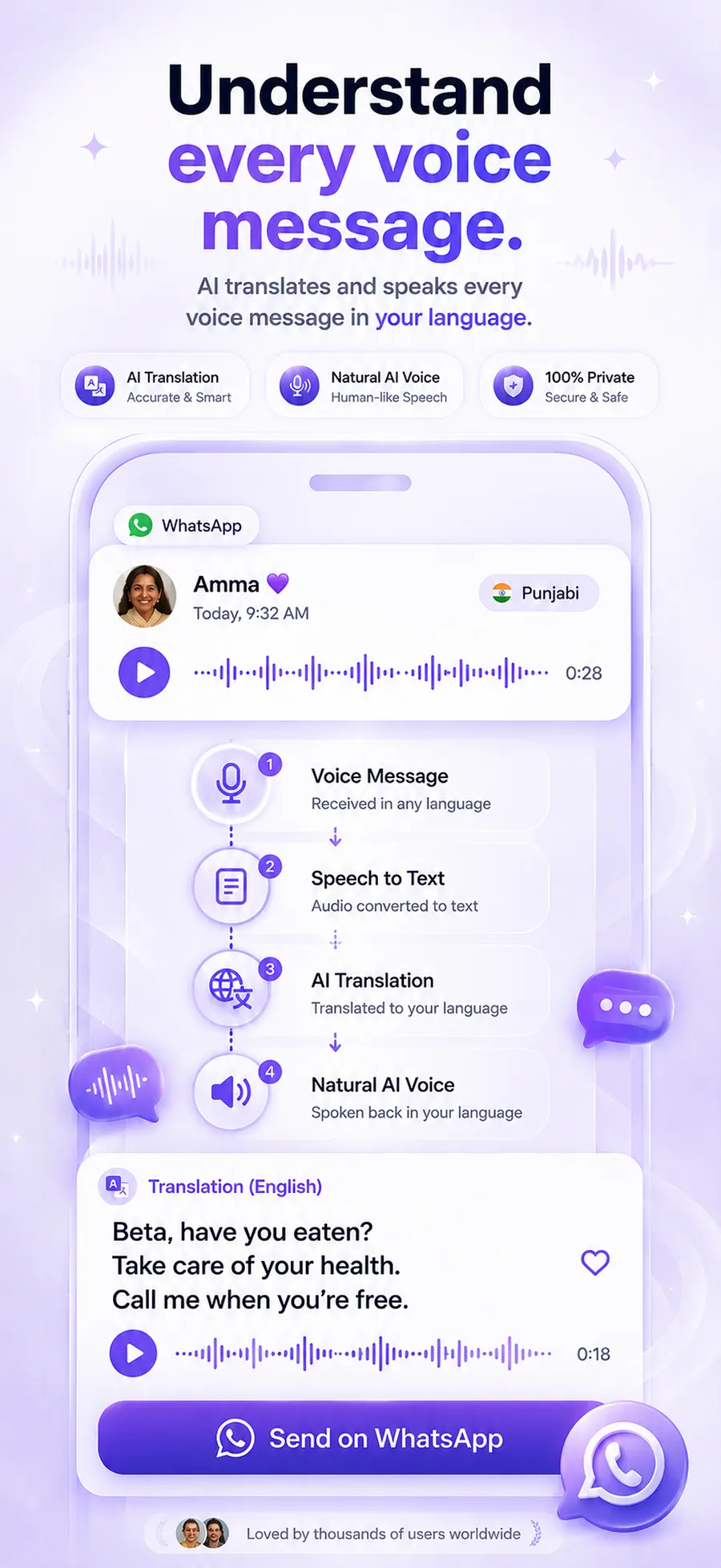
- 4Wait a few seconds while ReplyLingo detects the language, transcribes and translates.
- 5Read the transcript and listen to the translation in your language.
How to use a voice message translator on Android
On Android
- 1Download ReplyLingo from Google Play.
- 2Open the voice message in WhatsApp or any messaging app and tap Share or Forward.
- 3Choose ReplyLingo from the Android share menu.
- 4Wait a few seconds while ReplyLingo detects the language, transcribes and translates.
- 5Read the transcript and listen to the translation in your language.
Why the share menu matters
Many voice translators are browser extensions or tools that only work inside WhatsApp Web, so they can't help on a phone. ReplyLingo is a real phone app built on the share menu that iOS and Android both use to send files between apps.
If an app can share an audio file, ReplyLingo can translate it. You don't need a different tool for each messaging app, and you don't have to copy and paste anything between apps.
Replying in the other person's language
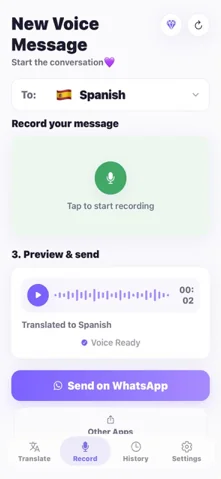
Understanding the message is half the job. After the translation, record your answer in your own language. ReplyLingo translates it and speaks it in the sender's language, then hands the audio straight back to your share sheet so you can send it through WhatsApp or whichever app the conversation is in.
That means the whole exchange, listening and answering, happens by voice. Nobody has to type, and each person stays in the language they are comfortable with.
What it costs and what it uses
ReplyLingo is free to start on both platforms, with a daily allowance of translations. A Pro subscription removes the daily limit if you translate voice messages every day. The current price is shown in the app.
Your conversation history stays on your device, and ReplyLingo doesn't keep a server-side copy of your audio, transcripts or translations. Voice data goes to OpenAI and Google Cloud only while a translation is being processed, which is also why you need an internet connection.
iPhone vs Android at a glance
The experience is the same on both platforms. The differences are small.
| Feature | iPhone | Android |
|---|---|---|
| Where to download | App Store | Google Play |
| How to start a translation | Share or Forward, then pick ReplyLingo | Share or Forward, then pick ReplyLingo |
| What you get | Transcript, spoken translation, voice reply | Transcript, spoken translation, voice reply |
| Languages | 100+ | 100+ |
| Cost | Free to start, Pro removes the daily limit | Free to start, Pro removes the daily limit |
Related guides
Frequently Asked Questions
Translate voice messages on your phone
Free to start. No sign-up needed. Continue as a guest.