
Guide
Translate a Ukrainian voice message
For employers, landlords, teachers, hosts, colleagues and friends who get voice notes in Ukrainian or Russian and need to understand and answer them.
The short answer
To translate a Ukrainian voice message, share the voice note from WhatsApp, Telegram, Viber or any app into ReplyLingo, an app for iPhone and Android that is free to start. ReplyLingo detects whether it is Ukrainian or Russian, transcribes it, translates it into your language (English, Polish, German or 100+ others) and reads the translation aloud. You can then record a reply in your own language and ReplyLingo speaks it in Ukrainian.
Why Ukrainian voice notes are hard to deal with
Many people now work, study or live alongside Ukrainian speakers, and a lot of everyday coordination happens through voice notes on Telegram, Viber and WhatsApp. If you don't read Cyrillic, even a transcript doesn't help, and typing out what you hear isn't possible.
What you need is the audio turned straight into your own language, written and spoken, plus an easy way to answer so the other person hears you in Ukrainian.
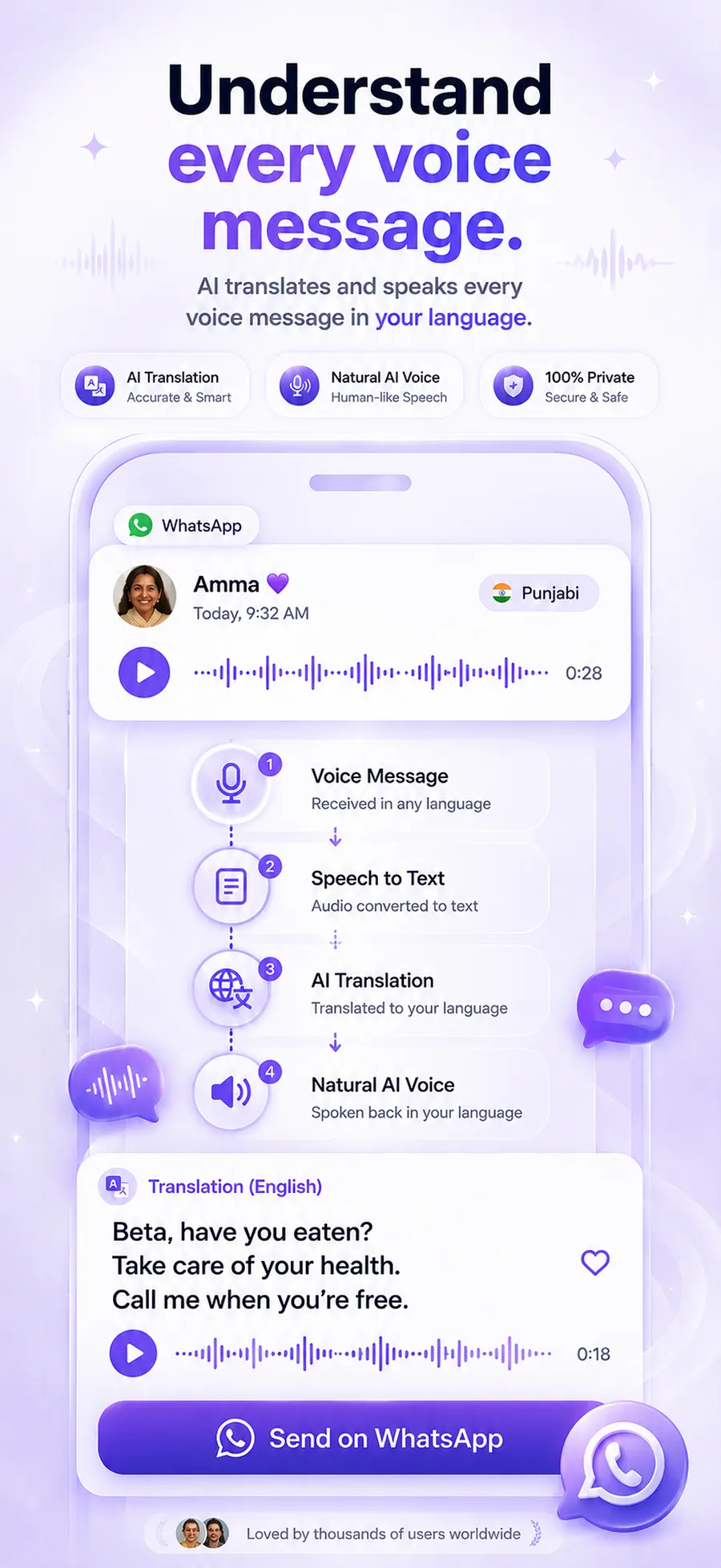
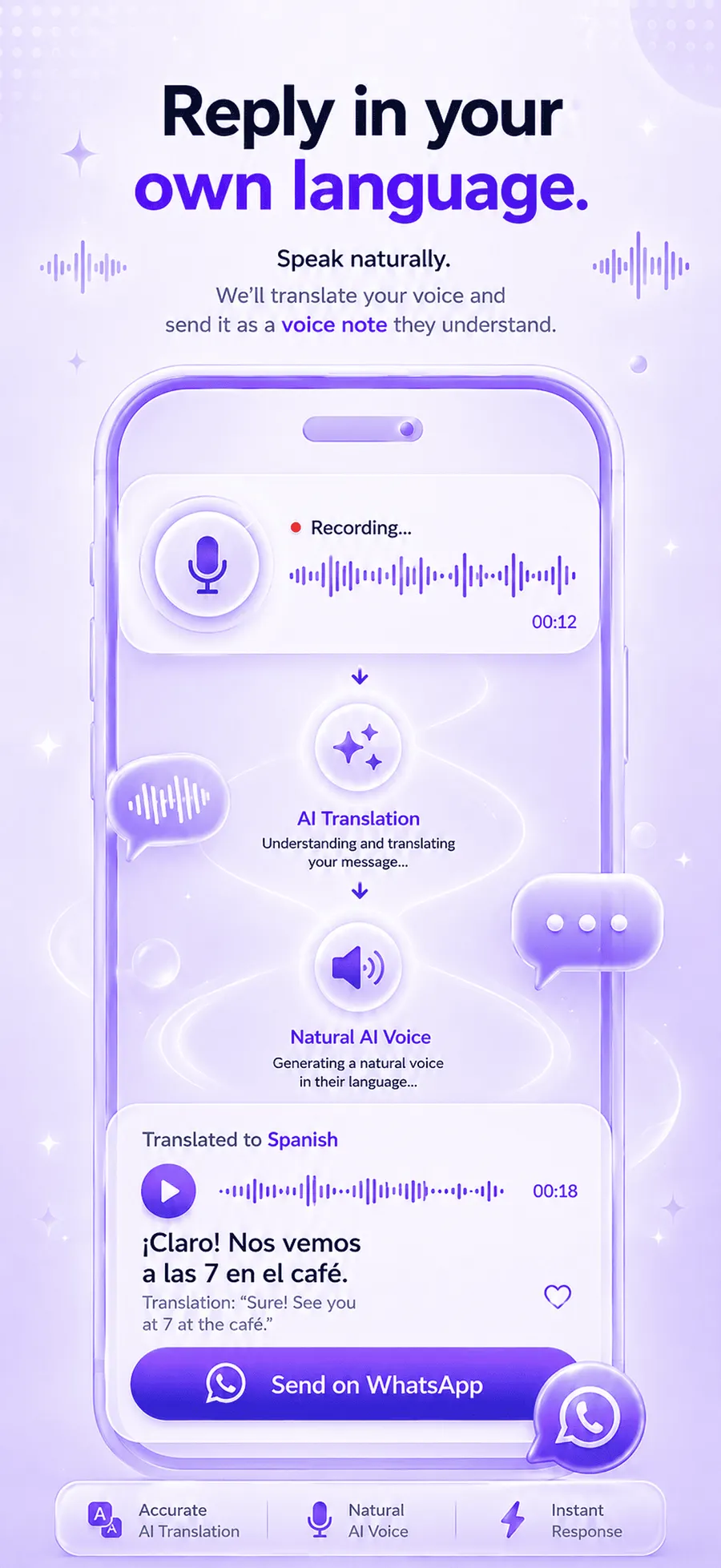
How to translate a Ukrainian voice message
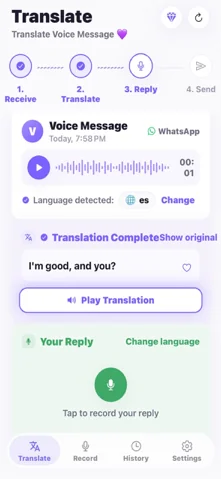
Understand it
- 1Download ReplyLingo from the App Store or Google Play. No sign-up needed: continue as a guest.
- 2Press and hold the voice message in Telegram, Viber, WhatsApp or any app, then tap Share or Forward.
- 3Choose ReplyLingo from your phone's share sheet.
- 4ReplyLingo detects Ukrainian or Russian automatically, so you don't have to know which it is.
- 5Read the transcript and listen to the translation in your language.
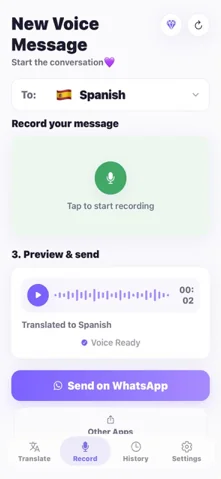
Reply in Ukrainian
- 1Record your reply in your own language.
- 2ReplyLingo translates it and speaks it in Ukrainian.
- 3Send the audio back through the same chat from your share sheet.
Who this helps
- Employers and managers with Ukrainian staff who send updates by voice.
- Landlords, host families and neighbours.
- Teachers and schools talking to Ukrainian parents.
- Friends, partners and colleagues who would rather talk than type.
Accuracy and privacy
ReplyLingo uses modern AI speech recognition and translation and handles natural, conversational speech well. Background noise or a mix of Ukrainian and Russian in one message can lower accuracy, so confirm important details such as dates, addresses or amounts.
Your conversation history stays on your device. ReplyLingo doesn't keep a server-side copy of your audio, transcripts or translations; voice data goes to OpenAI and Google Cloud only while a translation is being processed.
Ways to understand a Ukrainian voice message
| Option | Translates the audio? | Spoken translation? | Reply in Ukrainian? |
|---|---|---|---|
| ReplyLingo | Yes, into 100+ languages | Yes | Yes, by voice |
| Messaging app transcription | No, Ukrainian text only | No | No |
| Google Translate | Only if you type it out | For typed text | Typed text only |
Related guides
Frequently Asked Questions
Understand every Ukrainian voice note
Free to start. No sign-up needed. Continue as a guest.