
Guide
How to translate a voice memo or an audio file
A recording from Voice Memos, a recorder app, an email attachment or your files can go straight into ReplyLingo. Here is how, and what the limits are.
Last updated: October 2026
Based on Apple, Google and Samsung help pages as read in October 2026.
The short answer
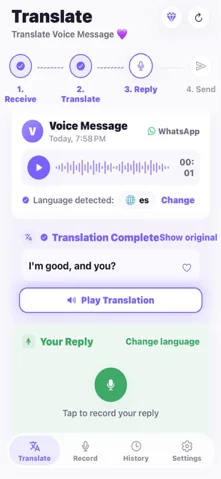
Yes. Open the recording in Voice Memos, Files or your recorder app, tap Share and choose ReplyLingo, and it transcribes the audio and translates it into your language in a few seconds. It is built for short clips of up to about three minutes, and a Voice Memos recording longer than three minutes has to be trimmed first.
Step by step on iPhone
From Voice Memos
- 1Open Voice Memos and tap the recording you want to translate.
- 2Tap the More button, then Share.
- 3Tap Options and choose Rendered, which creates a single .m4a file.
- 4Choose ReplyLingo in the share sheet.
From the Files app or an email
- 1Open the audio file in Files, or open the attachment in your email.
- 2Tap Share, or touch and hold the file and choose Share.
- 3Choose ReplyLingo. Only one file can be shared at a time.
Step by step on Android
From a recorder app
- 1In Google Recorder, touch and hold the recording, tap Share File and pick Audio, then choose ReplyLingo.
- 2In Samsung Voice Recorder, touch and hold the recording, tap Share, choose Voice file, then pick ReplyLingo. Menu names vary by phone model.
From Files or an email
- 1Open the audio file in your Files app, or the attachment in your email.
- 2Tap Share and choose ReplyLingo.
Formats and limits
- ReplyLingo receives audio files shared from other apps: on Android any app that shares an audio file, on iPhone a single file at a time.
- Length: about three minutes. WAV, MP3 and Ogg recordings longer than that are translated up to the first three minutes. A longer .m4a, which is what Voice Memos creates, is declined with a message to keep it under three minutes, so trim it first.
- To trim on iPhone, open the recording in Voice Memos and use Edit.
- Size: a file larger than about 15 MB is not accepted.
- Not for meetings or lectures. ReplyLingo is made for voice messages and short recordings, not for hour-long transcripts.
What your phone already does
Voice Memos on iPhone 12 or later can transcribe a recording in a limited list of languages and not in every country, and Google Recorder offers a transcript on supported Pixel phones. Both give you text in the language spoken. They do not translate, which is the part ReplyLingo adds.
Related guides
Frequently Asked Questions
Translate your next recording
Free to start. No sign-up needed. Continue as a guest.