
Guide
Translate an English voice message to Turkish
An English voice note from a boss, a teacher, a landlord or a friend, and you would rather have it in Turkish? Here is how to understand it and answer in English.
Last updated: October 2026
The short answer
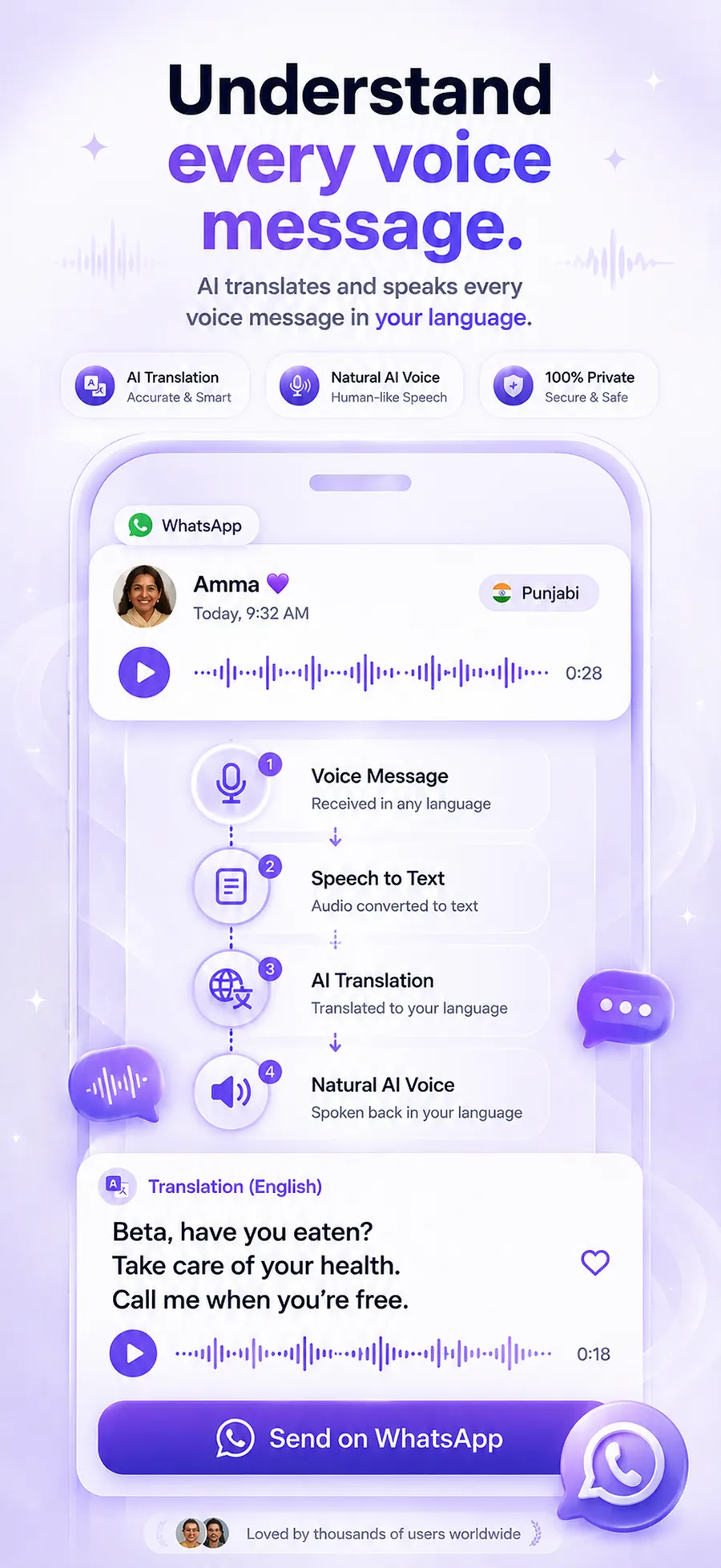
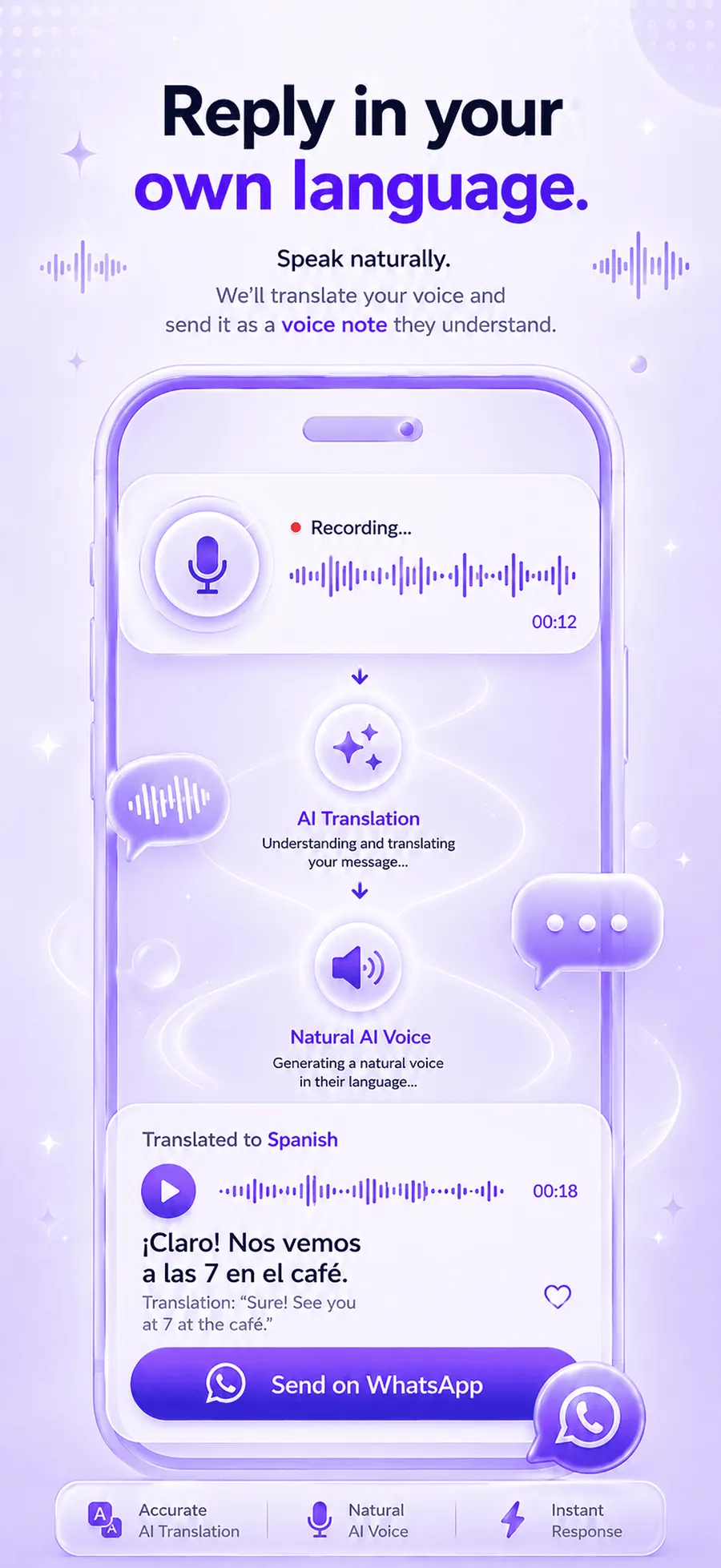
To translate an English voice message to Turkish, share it from WhatsApp, Telegram or any app into ReplyLingo, an app for iPhone and Android that is free to start. ReplyLingo detects English, transcribes the audio, translates it into Turkish and reads the Turkish aloud in a few seconds. You can then record a reply in Turkish and ReplyLingo translates it and speaks it in English, ready to send back.
Why an English voice note is harder than an English text
An English voice message is an audio file, so a text translator cannot use it until the speech has been written down. English word order and idioms differ a lot from Turkish, so even someone who reads English well can lose the thread of a fast voice note.
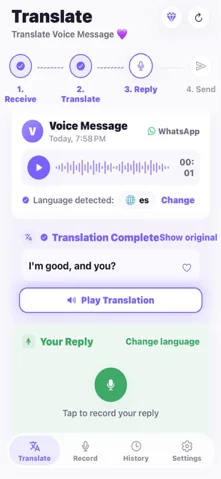
ReplyLingo transcribes the English, translates it into Turkish and reads the Turkish aloud.
How to translate an English voice message to Turkish
Understand the English voice note in Turkish
- 1Install ReplyLingo from the App Store or Google Play and continue as a guest.
- 2Press and hold the voice message in WhatsApp, Telegram or any other app, then tap Share or Forward.
- 3Choose ReplyLingo from your phone's share sheet.
- 4Read the Turkish transcript and listen to the Turkish translation read aloud. ReplyLingo detects the English for you.
Reply in English without writing English
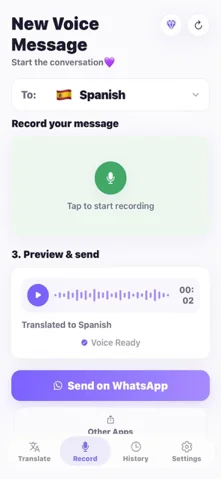
- 1Record your reply in Turkish.
- 2ReplyLingo translates it and speaks it in English.
- 3Send the audio back through the same chat from your share sheet.
Accents, and the Turkish voice you hear
ReplyLingo detects English automatically in any accent. Clear speech is generally handled well; strong accents, fast speech and noisy recordings lower accuracy, as with any speech recognition.
The Turkish ReplyLingo speaks for a reply is currently generated with a Turkey Turkish (tr-TR) voice. The written Turkish is standard.
Who this helps
- Turkish speakers working, studying or travelling in an English-speaking country.
- Parents following English school and club messages.
- Business owners and freelancers dealing with English-speaking customers and suppliers.
- English speakers who want to reply in Turkish to a partner, host or supplier.
Tips for a clearer translation
- Turkish relies on suffixes for meaning. If a translated sentence feels incomplete, replay the English transcript as well.
- A quiet recording gives better results. Music and street noise lower accuracy.
- For money, health, legal or safety details, confirm the important parts with the sender.
- ReplyLingo is built for voice messages of up to about three minutes and 15 MB.
Other apps
The same steps work for any app that can share an audio file. Instagram, Messenger and Viber document no Save or Share for a received voice message on a phone, so those need a resend or a playback recording first. Our guides cover each one.
Ways to understand an English voice message in Turkish
How the usual options compare for an English voice note you received.
| Option | Turkish translation? | Spoken Turkish? | Reply in English? |
|---|---|---|---|
| ReplyLingo | Yes, from the audio | Yes, read aloud | Yes, record in Turkish |
| WhatsApp voice message transcripts | No, English text only, and only for a limited set of languages | No | No |
| Google Translate | Only if you can type out the English | For typed text | No |
| Asking a bilingual friend | Yes, if they are around | Only by calling | If they help |
Related guides
Frequently Asked Questions
Understand every English voice note in Turkish
Free to start. No sign-up needed. Continue as a guest.